
Must-Have Tools for Bloggers and Content Creators Who Want to Work Smarter
Running a blog or content business means juggling dozens of tasks at once. You need to write, edit, design, publish, promote, and track results, all while staying organized and meeting deadlines. The right tools can make the difference between feeling overwhelmed and running a smooth operation. This list covers practical tools that help you work faster, collaborate better, and produce higher quality content without burning out. Whether you’re just starting or already established, these tools will help you focus on what matters most: creating great content.
- Legiit
When you need help with specific tasks but don’t want to hire full-time staff, Legiit connects you with freelancers who specialize in content creation, SEO, graphic design, video editing, and more. The platform focuses on digital marketing services, which makes it particularly useful for bloggers who need targeted help with promotion and technical tasks.
What sets Legiit apart is its marketplace structure that lets you browse services by category and price before committing. You can find writers to handle guest posts, designers to create featured images, or SEO experts to audit your site. Many services are offered at fixed prices, which makes budgeting straightforward. For content creators who want to scale without the overhead of employees, Legiit provides access to specialized skills exactly when you need them.
- Trello
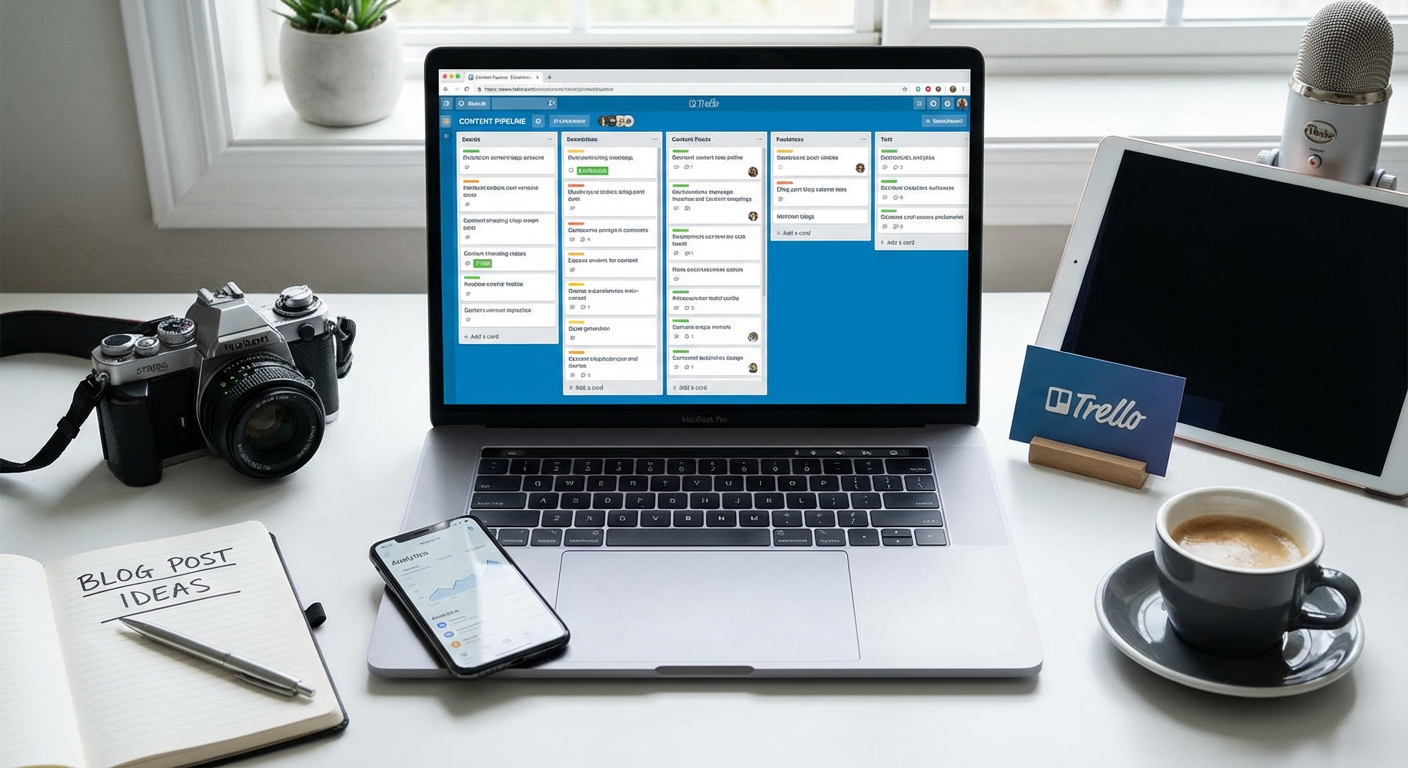
Keeping track of content ideas, deadlines, and publication schedules gets messy fast. Trello organizes everything into visual boards that you can customize for your workflow. Create columns for idea brainstorming, drafts in progress, content ready for editing, and published pieces.
The drag and drop interface makes it easy to move items through your pipeline, and you can add due dates, checklists, attachments, and comments to each card. If you work with a team, Trello lets everyone see what’s happening at a glance. You can also use it to plan social media calendars, track collaborations with other creators, or manage client projects. The free version handles most needs for solo creators and small teams.
- Hemingway Editor
This editing tool highlights sentences that are hard to read, points out passive voice, and suggests simpler alternatives to complex words. Paste your draft into Hemingway and it color codes issues by severity, making it easy to spot where your writing gets dense or confusing.
The app pushes you toward clear, direct writing that readers can absorb quickly. It’s particularly helpful for bloggers who want their content to be accessible to a wide audience. The desktop version works offline and costs a one-time fee, while the web version is free. Use it as a second pair of eyes before you publish anything, and you’ll notice your writing becomes cleaner over time.
- Notion
This all-in-one workspace combines notes, databases, wikis, and project management into a single platform. Content creators use Notion to organize research, store article templates, track performance metrics, and maintain a content library. You can create linked databases that connect your content calendar to individual article pages, making it easy to see your entire content strategy in one place.
Notion’s flexibility means you can build exactly the system you need, whether that’s a simple list of blog post ideas or a complex database tracking keywords, target audiences, and promotion channels. The learning curve is steeper than simpler tools, but once you set it up, Notion becomes the central hub for your entire content operation. Templates are available if you want to start quickly without building from scratch.
- Ahrefs
Understanding what people search for and how your competitors rank helps you create content that actually gets found. Ahrefs provides keyword research, backlink analysis, and site audits that show you where opportunities exist. Enter a topic and see search volume, keyword difficulty, and related terms that might be easier to rank for.
The Content Explorer feature lets you find the most popular articles on any topic, which helps with research and spotting content gaps. You can also track your rankings over time and see which pages bring in the most organic traffic. Ahrefs is a premium tool with a significant monthly cost, but for serious bloggers who rely on search traffic, the data it provides pays for itself. The depth of information available makes it worth the investment if SEO is central to your strategy.
- Buffer
Publishing content is only half the battle. Getting people to actually see it requires consistent social media promotion. Buffer lets you schedule posts across multiple platforms from one dashboard, so you can batch your social media work instead of logging in and out of different accounts all day.
You can create a queue of evergreen content that automatically recycles, which keeps your social feeds active even when you’re focused on writing. The analytics show which posts perform best, helping you refine your approach over time. Buffer’s clean interface and straightforward pricing make it accessible for individual creators. If you find yourself spending too much time on social media promotion, Buffer gives you back hours each week.
- Descript
If you produce podcasts, video content, or audio interviews, Descript changes how you edit. It transcribes your recordings and lets you edit the audio by editing the text transcript. Delete a sentence in the transcript and the corresponding audio disappears. It feels more like editing a document than working with traditional audio editing software.
Descript also includes tools for removing filler words, creating audiograms for social media, and overdubbing corrections without re-recording entire sections. For content creators who avoid audio and video because editing feels too technical, Descript lowers the barrier significantly. The free tier includes limited transcription hours, while paid plans offer more capacity and additional features.
- ConvertKit
Building an email list gives you direct access to your audience without depending on algorithms or platform changes. ConvertKit is designed specifically for creators, with features like customizable opt-in forms, automated email sequences, and subscriber tagging based on interests.
You can segment your audience and send different content to different groups, which improves engagement and reduces unsubscribes. The visual automation builder lets you create complex email funnels without coding. ConvertKit also includes a landing page builder, so you can create simple sales or opt-in pages without needing a separate tool. For bloggers who want to monetize their content or build a loyal audience, email remains one of the most reliable channels, and ConvertKit makes it manageable.
- Grammarly
Even experienced writers miss typos, especially when working quickly or editing their own work. Grammarly catches spelling errors, grammar mistakes, and punctuation issues in real time as you type. It works across browsers, email clients, and writing apps, which means you get consistent help no matter where you’re working.
Beyond basic corrections, Grammarly suggests improvements for clarity, tone, and word choice. The premium version checks for plagiarism and provides more detailed feedback on style and delivery. While it won’t replace a human editor for important pieces, Grammarly catches the small mistakes that undermine your credibility and helps you publish cleaner first drafts.
- Canva
Every piece of content needs visuals, whether that’s featured images for blog posts, social media graphics, or infographics to illustrate complex ideas. Canva provides templates and a drag and drop interface that lets non-designers create professional-looking graphics quickly.
The library includes millions of stock photos, icons, and design elements you can use in your projects. Pre-sized templates for every social platform mean you don’t need to remember dimensions or worry about cropping. Canva’s free version offers plenty for most creators, while the paid version adds features like brand kits, background removal, and access to premium templates. For bloggers who can’t afford to hire a designer for every image, Canva closes the gap between amateur and professional-looking visuals.
- Google Analytics
You can’t improve what you don’t measure. Google Analytics shows you how people find your content, which pages they visit, how long they stay, and where they drop off. This data helps you understand what’s working and what isn’t, so you can focus your efforts on content that resonates.
Look at metrics like page views, bounce rate, and average session duration to gauge engagement. Check your traffic sources to see whether search, social, or referrals drive the most visitors. The free version provides more data than most bloggers will ever need. While the interface can feel overwhelming at first, learning even the basics gives you valuable insights that shape your content strategy and help you grow your audience systematically.
- Loom
Sometimes explaining something with a quick video is easier than writing it out. Loom records your screen and webcam simultaneously, making it perfect for creating tutorials, feedback videos, or quick updates for collaborators. The recordings are instantly shareable via link, with no uploading or processing delays.
Content creators use Loom to record behind-the-scenes content, explain complex processes to clients, or provide video supplements to written tutorials. The ability to add comments at specific timestamps makes it useful for collaboration and feedback. Loom’s free tier includes up to 25 videos, which is enough for casual use. For creators who want to add a personal touch or explain visual concepts more clearly, Loom provides a fast solution that doesn’t require video editing skills.
The tools you choose shape how efficiently you work and how much you can accomplish. Start with the basics that address your biggest pain points, whether that’s organization, editing, design, or promotion. As your content business grows, you can add more specialized tools to handle specific challenges. The key is finding a setup that supports your workflow without adding unnecessary complexity. Test tools before committing to paid plans, and don’t be afraid to switch if something isn’t working. With the right tools in place, you’ll spend less time on logistics and more time creating content that matters to your audience.
Recent Comments